1. View and Download Petitions
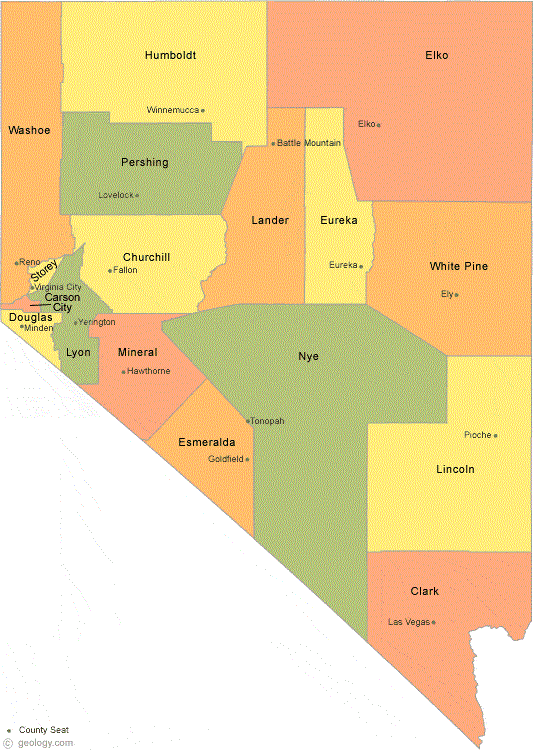
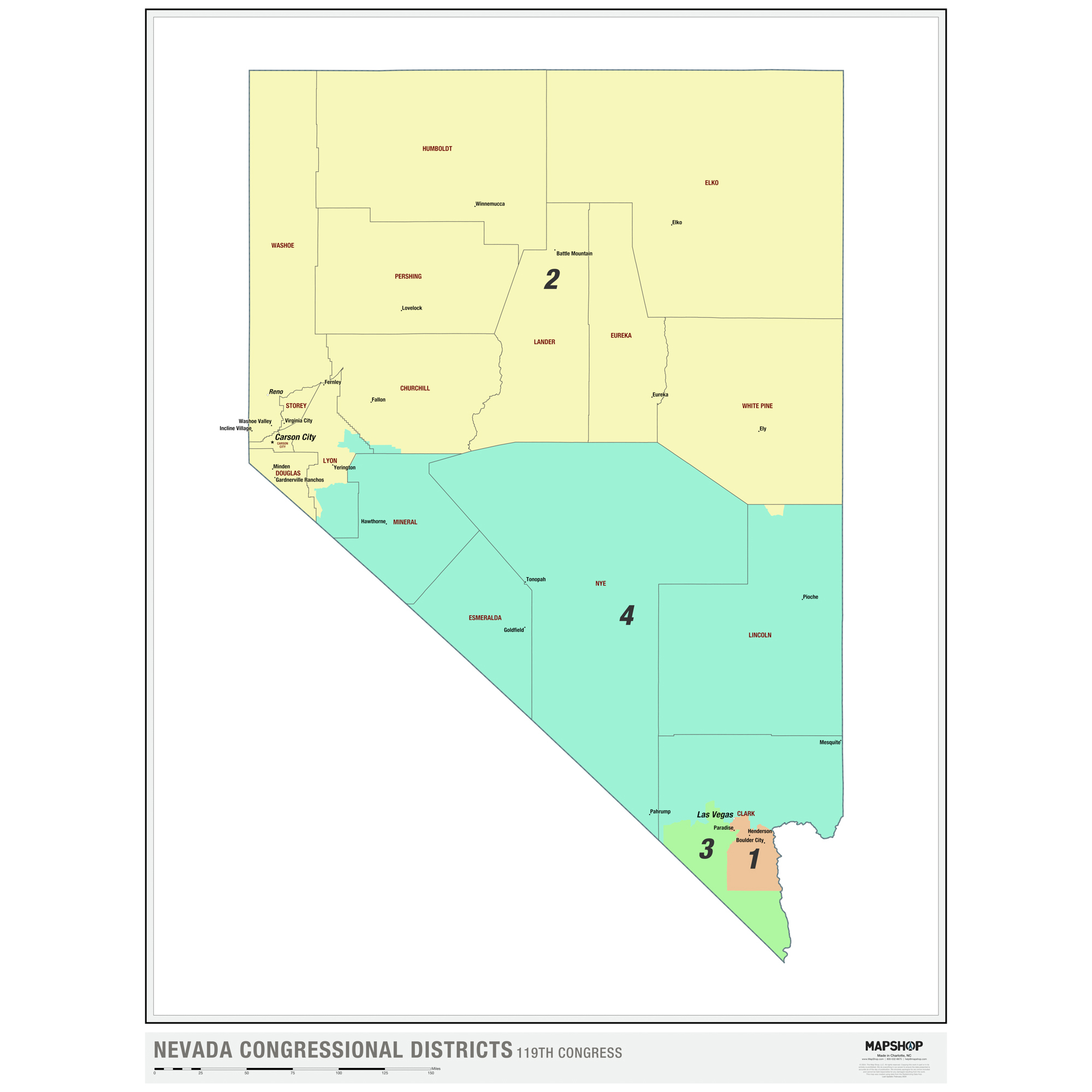
Petitions are specific to a single County and Congressional District. You cannot mix counties and congressional districts on the same petition. Links to Nevada County and Congressional Districts are provided at the bottom of this page to help identify the area where you are collecting signatures.
Below are links to view and download petitions which have the County and Congressional District completed. Most Counties are contained entirely within a single Congressional Disctrict. However, there are some exceptions (See *NOTES at the bottom below).
A generic petition is included without any county or congressional district completed.
The downloaded files will appear in your downloads directory or at the bottom of the page.
| County | Congressional District |
View | Download |
|---|---|---|---|
| Carson City | 2 | View | Download |
| Churchill (*) | 2 | View | Download |
| Clark (*) | 1,3,4 | View | Download |
| Clark (1) | 1 | View | Download |
| Clark (3) | 3 | View | Download |
| Clark (4) | 4 | View | Download |
| Douglas | 2 | View | Download |
| Elko | 2 | View | Download |
| Esmeralda | 4 | View | Download |
| Eureka | 2 | View | Download |
| Humbolt | 2 | View | Download |
| Lander | 2 | View | Download |
| Lincoln (*) | 4 | View | Download |
| Lyon (*) | 2,4 | View | Download |
| Mineral | 4 | View | Download |
| Nye | 4 | View | Download |
| Pershing | 2 | View | Download |
| Storey | 2 | View | Download |
| Washoe | 2 | View | Download |
| White Pine | 2 | View | Download |
| Generic | View | Download |
2. Print Petitions
CAUTION: CHECK PRINTER SETTINGS
After downloading your petition the next step is to open the file and print as many copies as you will need. Please check the first copy you print to make sure it matches the .pdf file on your screen. If the printer settings are not configured properly, part of the page may be clipped or moved to a second page.
Check the following settings:
- Layout: Portrait
- Paper size: Letter
- Pages per sheet: 1
- Page Sizing: Fit (if available)
- Scale: Default, but check that this produces an inage that fits the paper.
- Margins: Default
- Two-sided: Uncheck (print one sided)
- Clark County contains all of districts 1, 3 and part of district 4. This generic petition leaves the congressional district blank, which will need to be completed by you (1, 3 or 4). There are also specific petitions for districts 1, 3 and 4.
- Lyon County is mostly in district 2 with some in district 4. This petition leaves the congressional district blank, which will need to be completed by you (2 or 4).
- Lincoln County is almost all in district 4, with a small piece in district 2. This petition sets the congressional district to 4. If you want to collect signatures for Lincoln County in congressional district 2, use the generic petition.
- Churchill County is almost all in district 2, with a small piece in district 4. This petition sets the congressional district to 2. If you want to collect signatures for Churchill County in congressional district 4, use the generic petition.